Turn an idea into a video
Meet small businesses at the task they need help with.
 · 2024
- 40K+
- sign-ups
- 14%
- conversion
- $200K
- ARR
Overview

HubSpot’s Acquisition and Distribution team wanted to reach solo entrepreneurs and teams of one to five people. Many did not know what a CRM was or why they needed one. They were looking for practical help creating content and marketing their businesses.
I proposed standalone tools that solve those immediate problems, with contextual prompts connecting people to relevant HubSpot features. Clip Creator tested this approach through AI-powered video creation. I led discovery and product design through the MVP and its second phase.
Follow what small businesses were looking for
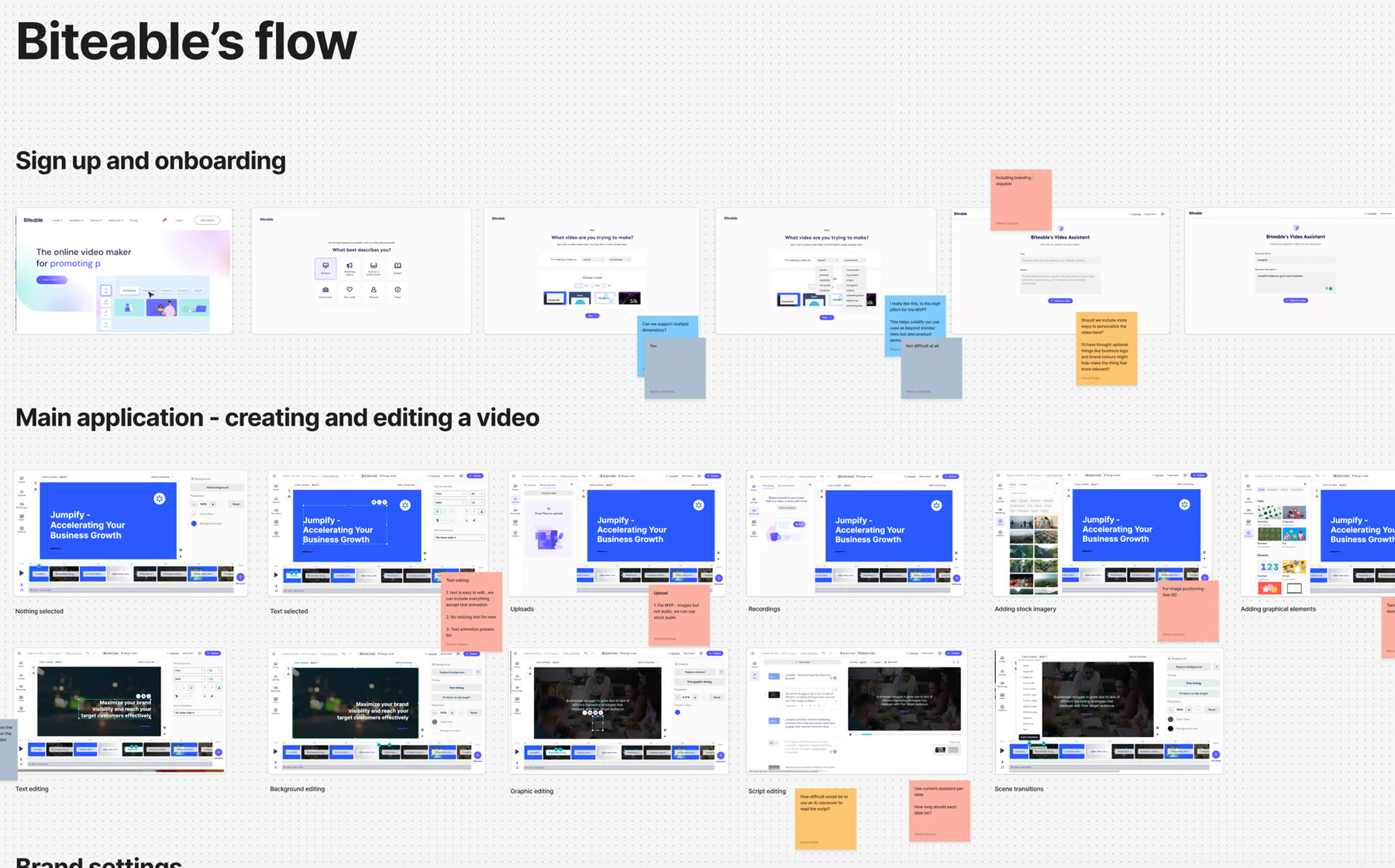
I worked with marketing on keyword and search analysis, interviewed small-business owners and audited competitors including Biteable and Animoto. The research pointed to demand for video tools, email templates and AI content generators.
That shaped the strategy: someone searching for an AI video maker could discover Clip Creator, make a video, and then learn how HubSpot could help with the next part of their marketing work.
Test the idea with a complete creation flow
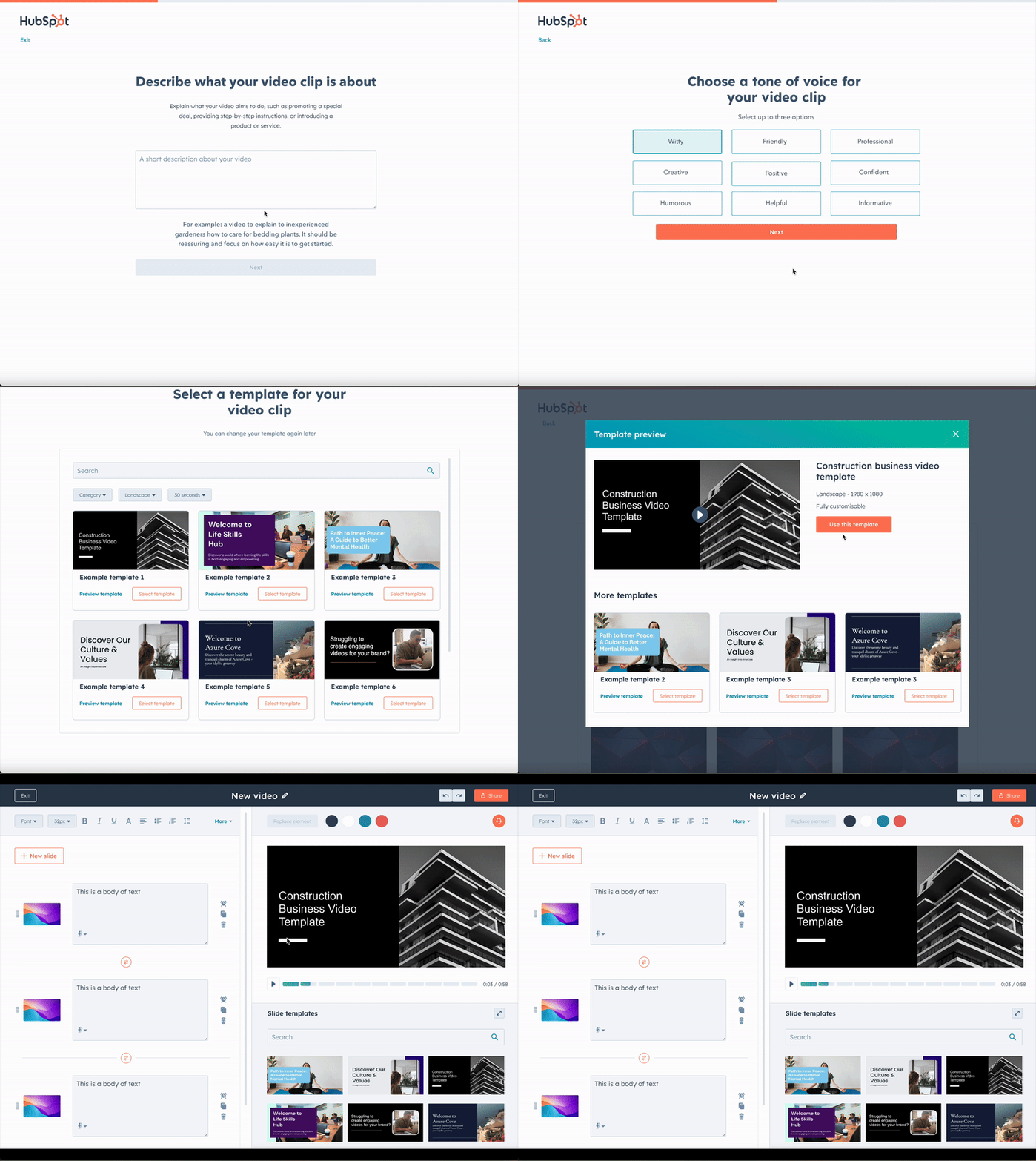
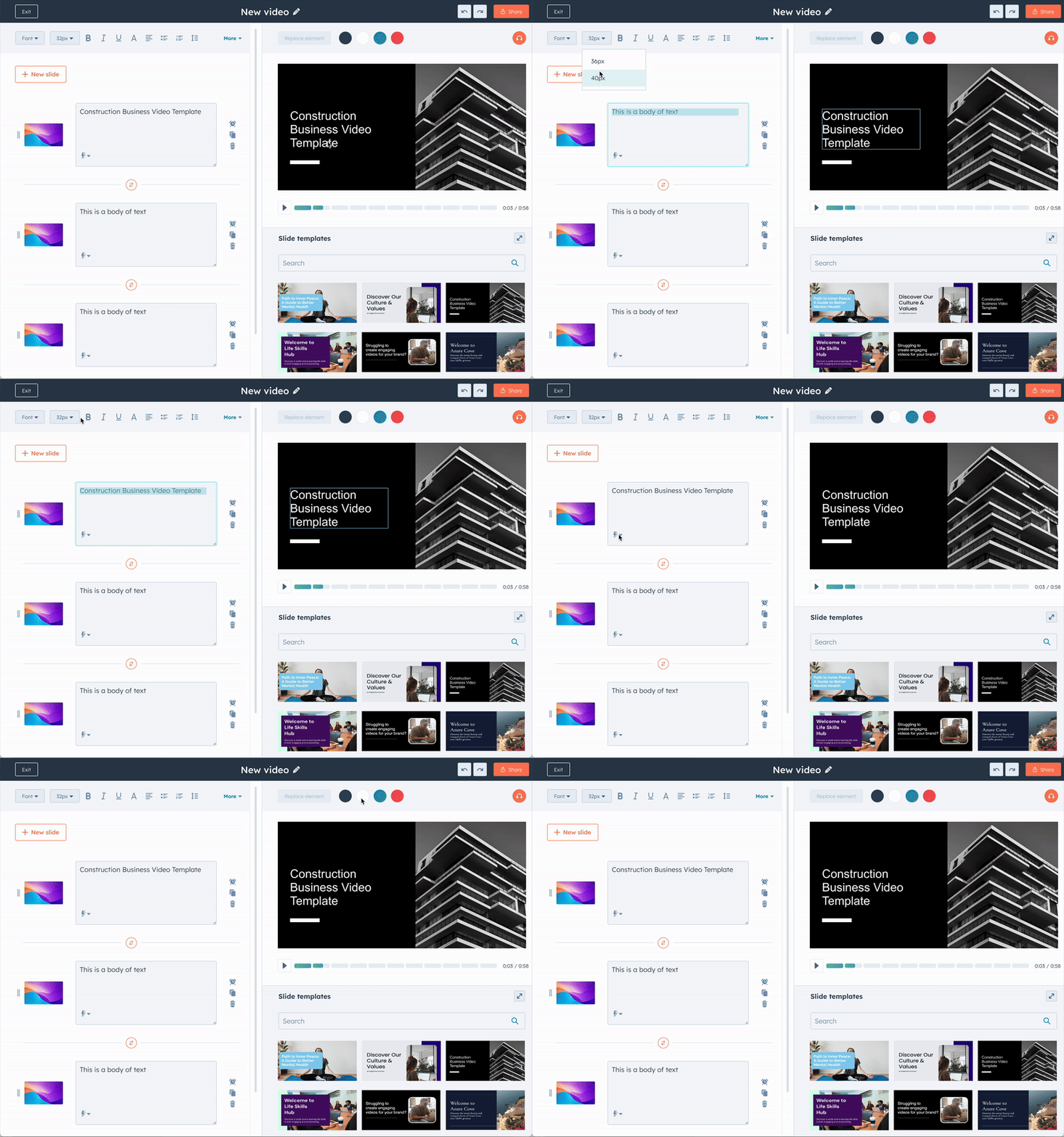
The MVP generated a video from a text prompt. I designed a slide-based editor, familiar to people who had used presentation tools, so they could review the draft and change its text, imagery and animation.
Users could share through an embeddable player or landing page, or export an MP4. The first release tested whether a useful video tool could attract people who had not come looking for HubSpot.
Early use showed where the product fell short
The MVP attracted more than 6,000 sign-ups and produced around 1,700 videos. It also exposed gaps in the experience: limited customisation, no narration, a restricted template selection and no way to start from scratch.
These became the starting point for the next design phase, covering how people begin a video, edit it and return to their projects.
Expand the ways people could create
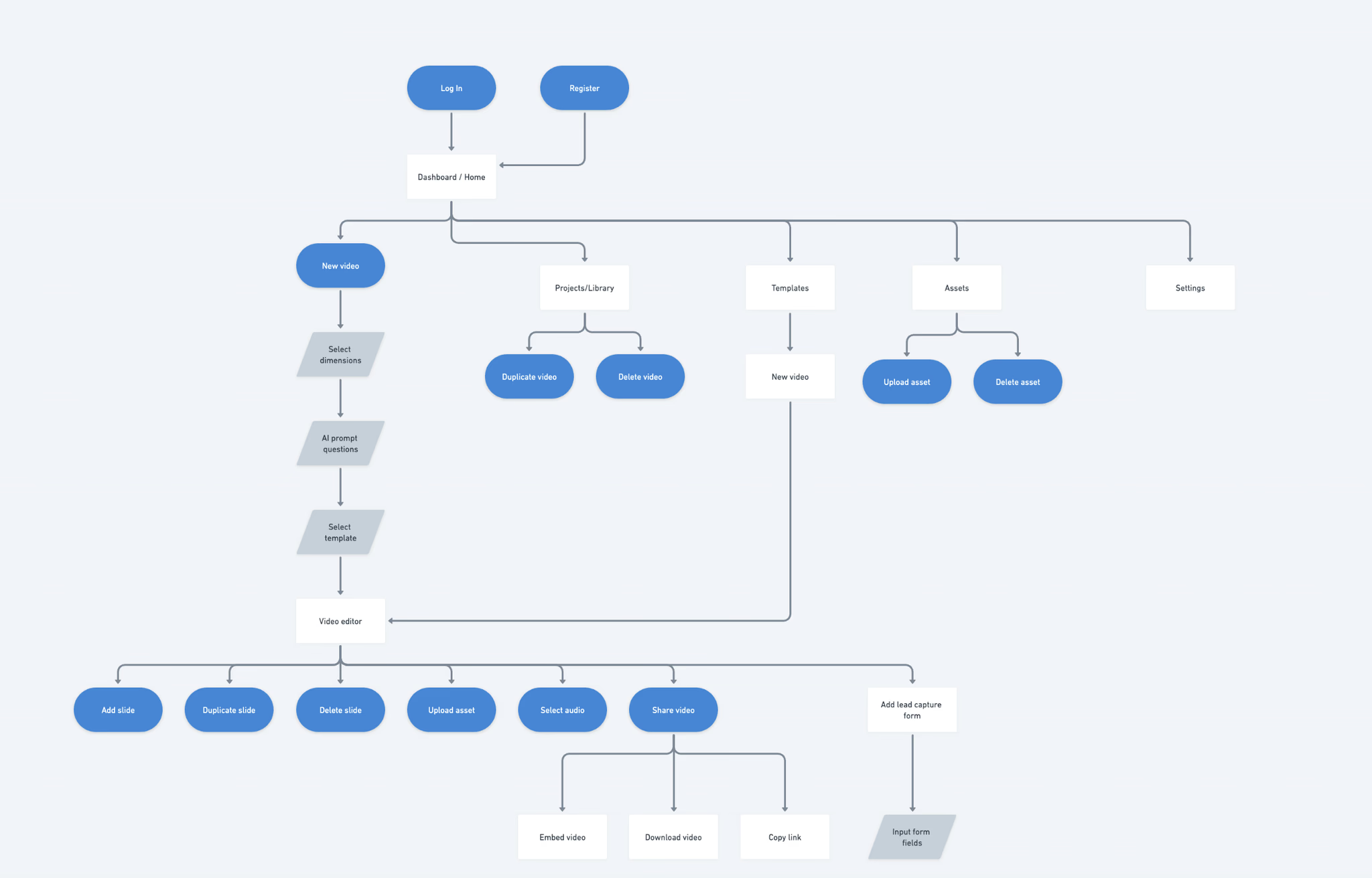

I ran usability tests and workshops with product, engineering and AI/ML to shape phase two. We added AI voice narration, script creation, captions, portrait and fullscreen modes, templates and a more capable editor. Engineering dependencies meant splitting the release across the creation flow, editor and project dashboard as each capability became ready.
Keeping stakeholders aligned was a major part of the work. I used weekly demos, shared early wins and worked closely across teams so decisions stayed connected to the product we were building.
Connect a useful result to a relevant next step
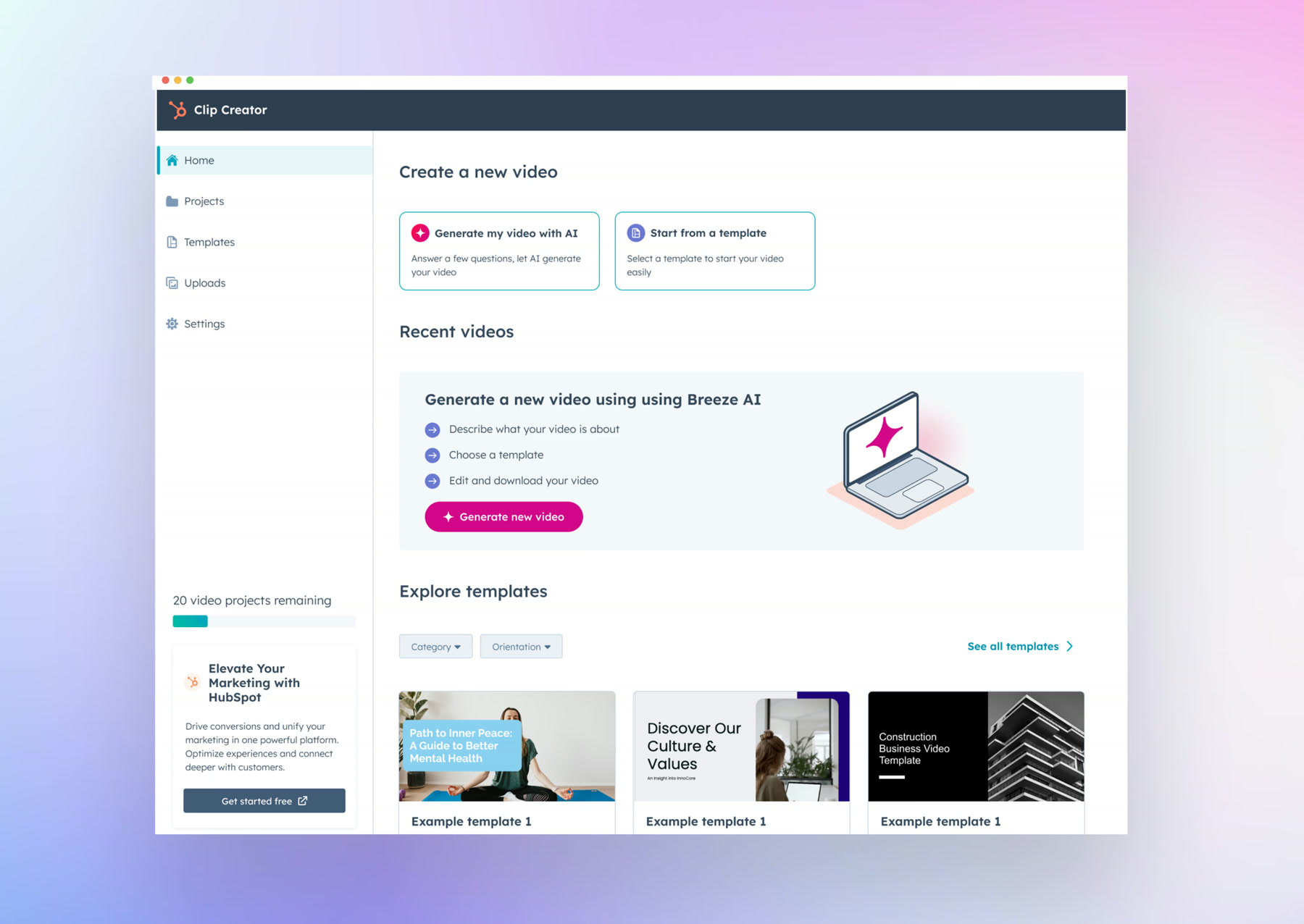
I designed contextual prompts that introduced HubSpot during creation, after a successful result or when someone needed the next step. Each prompt explained a specific benefit, such as capturing leads from a video.
The message needed to connect to what the person was already doing. We used benefit-led language instead of asking them to understand CRM terminology before they could see its value.
How the product bridge worked
- Searches for an AI video maker
- Finds Clip Creator
- Creates something useful
- Discovers a relevant HubSpot feature
- Joins HubSpot when the wider value is clear
A new acquisition channel
Clip Creator reached more than 40,000 sign-ups, with 14% converting to HubSpot and $200K in annual recurring revenue attributed to the channel. The approach extended to four additional tools, including Guide Creator and Campaign Assistant.
Two lessons stayed with me: protect a minimum usable level of quality in the first release, and include the HubSpot connection from day one. Early users could make a video and leave without discovering what else HubSpot offered.
Key decisions
Choose the product from small businesses’ search behaviour and immediate needs.
Make the generated draft editable in a familiar slide-based interface.
Introduce HubSpot through a relevant next step during or after creation.
Let’s talk about the work.
I’d be happy to talk through the project and the decisions behind it.
Reach out