Get teams working in DeepL
Turn a purchase into a working team.
 · 2026
- 73%
- seats in use
- 7.6%
- seat purchase rate
- 1,425
- admins
The short version
Buying DeepL for a team was easy. Getting that team set up was another story. Admins had to find their way through nine account tabs, with little guidance on what mattered first. A month after purchase, typical new teams were using only half their seats.
I designed the journey from checkout into the product: a short questionnaire, a grouped checklist, guided flows and a widget that keeps the next task within reach. When our PM left in February, I also took on product coordination and release decisions. The questionnaire and checklist went live on 27 May 2026; the widget followed on 11 June.
The buyer wasn’t always the admin
Discovery uncovered a problem before anyone even reached the account area: the person who bought DeepL was often not the person who would set it up. An onboarding journey that assumed they were the same person would start with the wrong job.
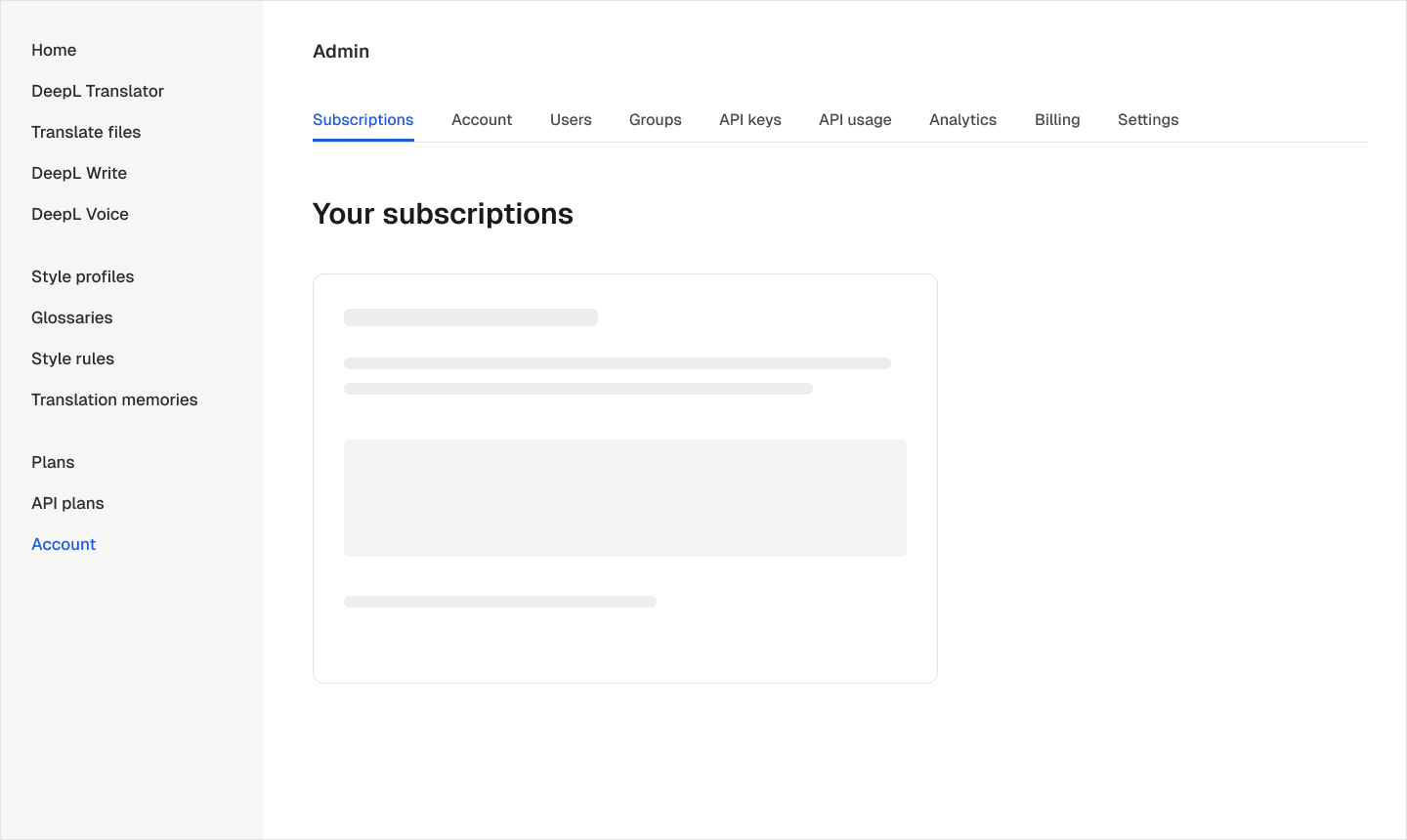
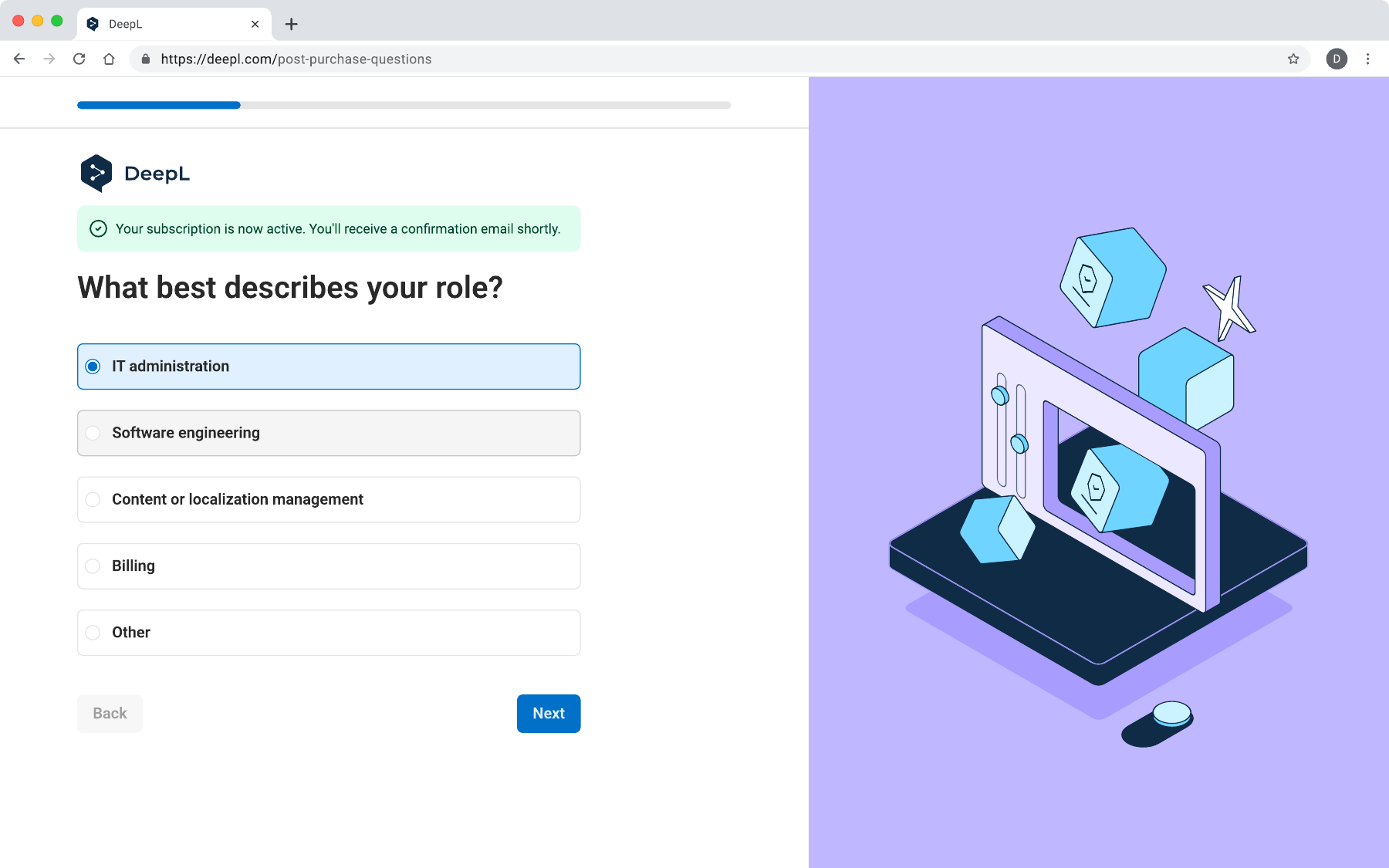
I put the handoff immediately after checkout. Buyers could identify who would manage the account and invite those admins before entering the product. Business customers came first because they went through checkout; sales-assisted Enterprise customers needed a separate entry point.
Make every question earn its place
The questionnaire took three rounds. I started with broad organisation details and a separate screen for inviting helpers. The shipped version asks one question at a time, with only role and account management required. Organisation size and existing translation tools are optional.
I removed “We’ll set it up together” because it didn’t change the next step. I also separated the buyer’s four-question journey from a shorter route for invited admins, who shouldn’t have to repeat context the buyer had already provided. Role-based task ordering was designed for phase two.
A home base, and a way back
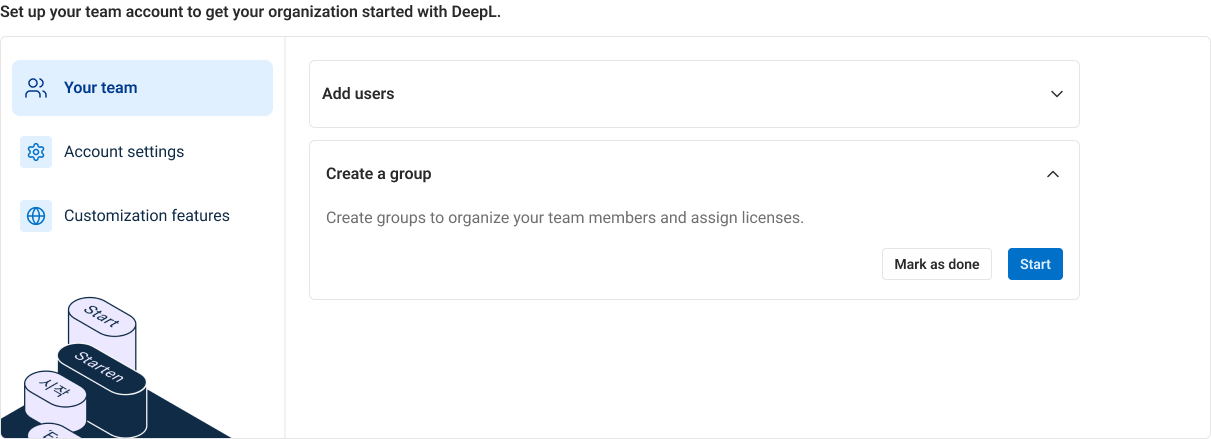
Placement was the biggest interaction decision. I explored task cards, a vertical stepper, a side panel, a corner pill and a checklist that included the questionnaire. Each created a different constraint: too little room, a false sense of sequence, a narrower workspace, or something too easy to miss.
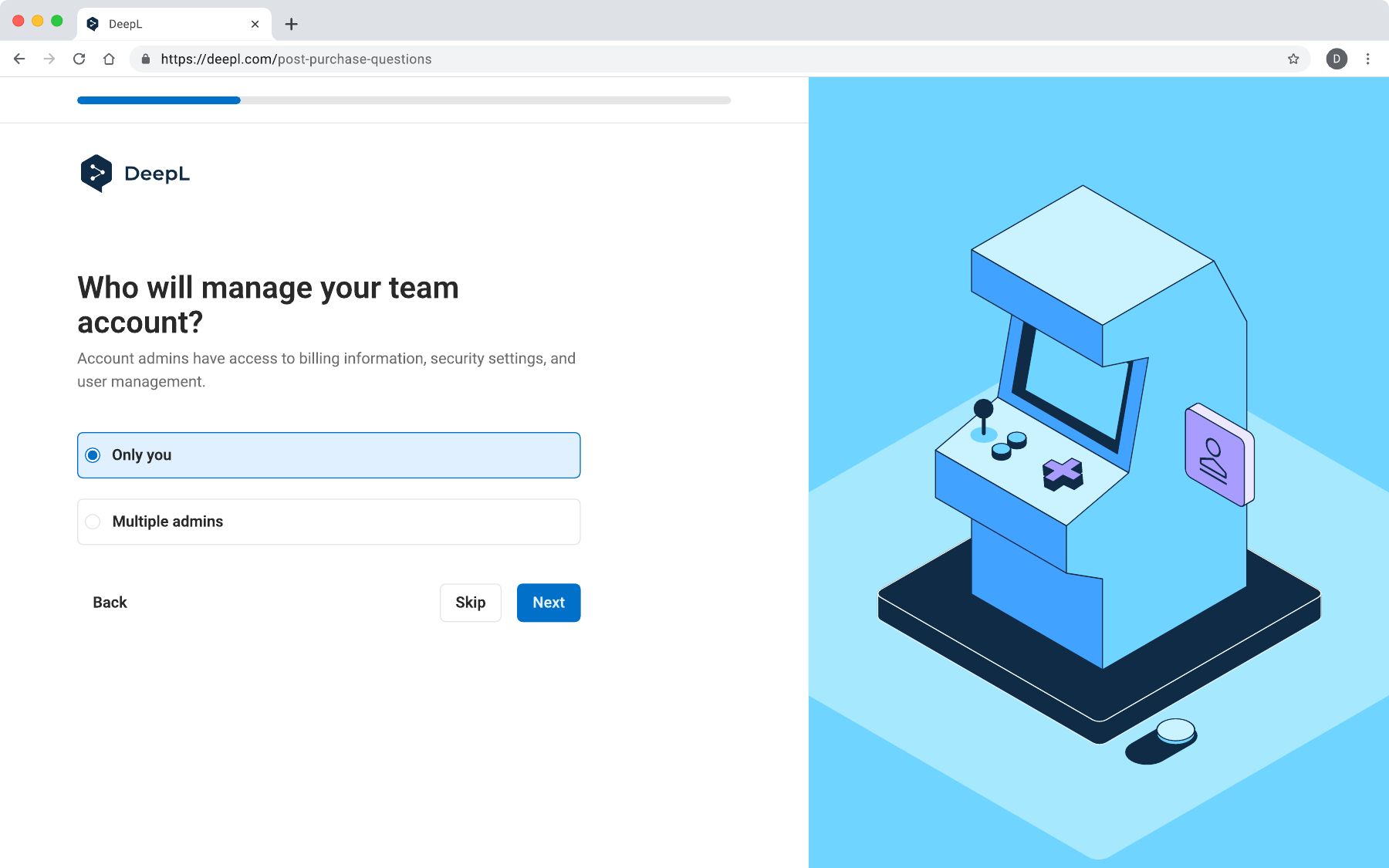
The answer was two complementary surfaces. A grouped checklist on home gives setup room for explanations and illustrations. A floating widget on other pages keeps progress and the next task nearby while admins do the work. Dismissing it lasts for that session: “not now” shouldn’t mean losing the guide forever.
Progress had to be trustworthy
Six tasks sit in three groups: the team, account settings and customisation. They can happen in any order and across multiple sessions. Tasks open in place so admins can understand the work before starting it, and progress is a count rather than a vague percentage.
The less visible decision was ownership. Branding, security and domain setup belong to the account, so one admin completing them marks them done for everyone. Invitations and style profiles belong to each person. Without that distinction, a second admin would see misleading progress or repeat work.
Guide the work that needs decisions
Inviting people involves more than entering an email. The guided flow supports up to 40 addresses, explains roles, and puts people into groups that determine their licences. A shared header and footer keep the main action in the same place throughout.
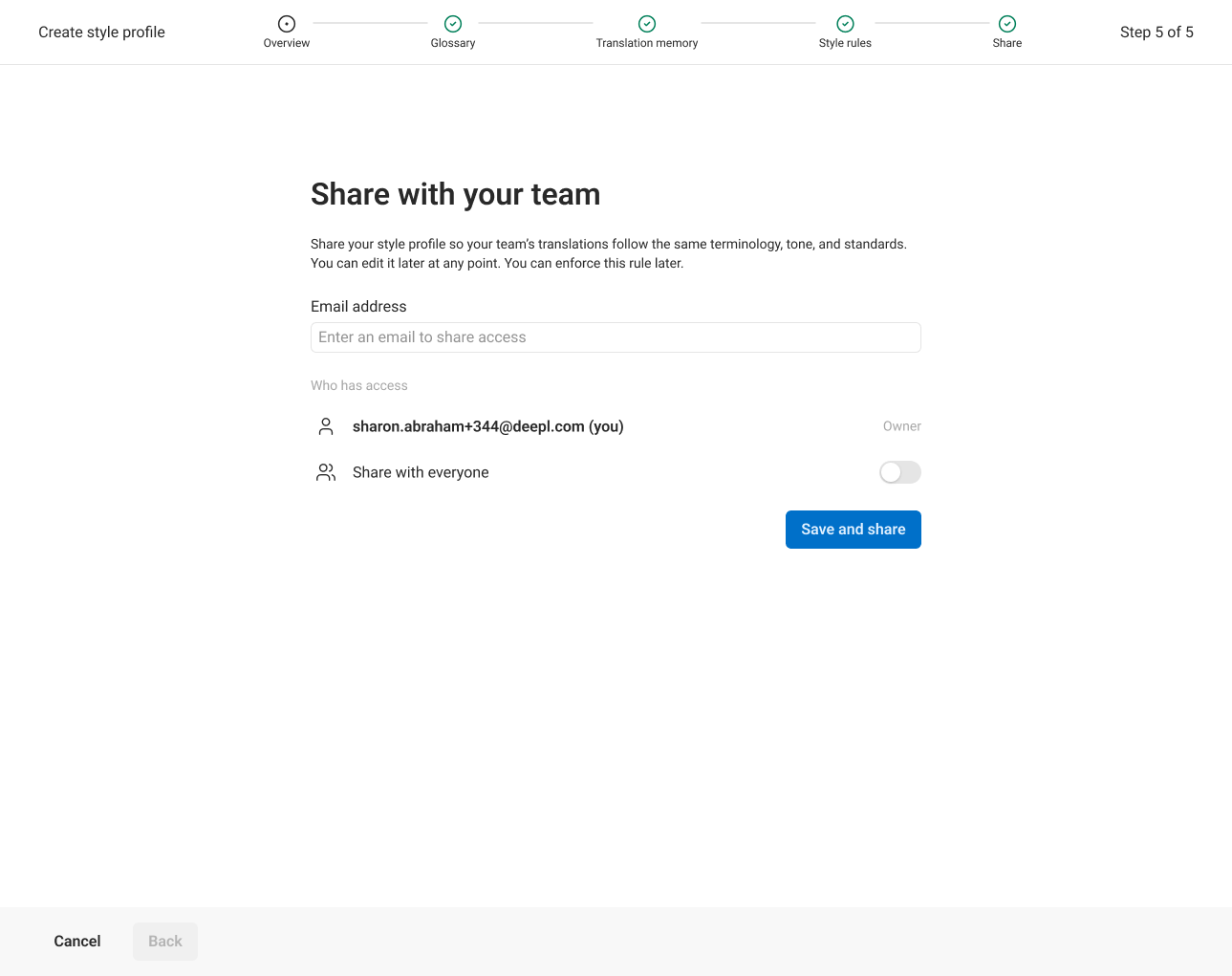
For style profiles, I worked with the Customisation team to reuse their real glossary, translation-memory and style-rule flows. A profile is only complete when it contains at least one asset and has been shared with the team. Creating something nobody else can use isn’t a useful finish line.
Build once, make room for the next team
Before building the first journey, I mapped seven onboarding patterns: badges, beacons, tours, empty states, wizards, questionnaires and checklists. Admin onboarding was the first application; empty states moved onto the same framework before launch.
I kept release scope practical. Role-based ordering, persisted questionnaire answers and animated illustrations moved to later phases. The reusable foundation took longer initially, but the API team’s getting-started checklist now uses the same component, and the work became phase one of DeepL’s wider Digital Onboarding Journey.
More seats in use. More teams growing.
In the first ten weeks, 1,425 admins used onboarding. Typical new teams that used it had 73% of their seats in use after a month, compared with a 50% baseline for new teams before launch. Almost half reached at least 90% seat utilisation, versus roughly three in ten before.
Among established teams that went on to use onboarding, the share buying extra seats rose from 4.8% to 7.6% per six weeks. Invitations were the most-used task: 755 admins started and 335 finished.
These are observed associations, not an A/B-tested causal result. Teams that choose onboarding may already be more motivated. The same-team purchase comparison is a useful signal; a controlled experiment is the next step.
Seats in use after one month
Typical new teams: February–April baseline compared with teams that used onboarding.
Teams buying extra seats
Share purchasing per six weeks, among established teams that went on to use onboarding. Scale: 0–10%.
Observed results, not proof of causation. First ten weeks: 25 May–3 August 2026. A controlled A/B test is the next step.
What I’d carry into the next release
Only about seven in a hundred new teams had used the experience so far. With rollout complete, discoverability became the next problem. Phase two adds tasks and ordering by role, a migration path for teams moving from another translation tool, and Voice-specific setup.
I would also specify measurement alongside the interactions from the start. The customisation flow launched without step-level analytics; more than 55 teams began it before that gap was fixed in August. The next release needs both a more prominent customisation journey and a clear view of where people finish or leave.
Three choices I made
Let the buyer hand setup to the right person before the product loads.
Give independent tasks a checklist, and multi-step decisions a guided flow.
Build shared onboarding patterns so the next team can start further ahead.
There’s more behind the work.
I’ve kept this case study focused. If you want to see the research, earlier concepts or implementation details, send me a note.
Reach out