Get to work faster with AI
AI configures. Customers review and confirm.
 · 2025
- 14 → 9
- days to activate
- +5%
- completion
- 68%
- accepted AI setup
Overview
New HubSpot customers faced 47 setup tasks on day one and took an average of 14 days to reach first value. They wanted to manage deals and contact customers, but first they had to configure the tools to do it.
I led the strategy and design for Review & Confirm: an onboarding pattern that uses business context to prepare a configuration, then lets the customer review it before creating it. We started with three tasks: a sales pipeline, sales email templates and a reports dashboard.
Setup was getting in the way of work
16% of paying customers left during setup. An activated customer was worth roughly $8,000 over their lifetime. Existing templates still needed customisation, wizards stretched out the process, and tours and documentation were easy to skip. Helping people understand configuration had not removed the work of doing it.
One customer put the problem clearly: “I just wanted to see my deals. I wasn’t trying to complete onboarding. I was trying to do my job.” That became the starting point for the project.
Use the context HubSpot already had
I interviewed existing customers, reviewed earlier usability studies and CSAT feedback, and studied competitor onboarding. Alongside this, I spent three weeks with engineering mapping what AI could reliably configure.
HubSpot already had business details, onboarding answers and context from company websites. We could use these to prepare relevant pipeline stages, emails and reports. Research also showed that familiar, industry-specific language helped customers trust the suggestions.
My role covered the concept, interaction design, three rounds of iteration and testing, and implementation. I worked with product, engineering and leadership to agree on the first release.
Start with three high-impact tasks
We chose work that took time to set up manually and could be generated from business context. Other jobs, including importing data, inviting a team, authenticating email and setting up payments, still required the customer’s involvement.
The first version offered read-only previews. Supporting edits and regeneration would add complexity we could not take on immediately, so we planned those for the next phase.
- A sales pipeline with six to eight stages, replacing around 45 minutes of manual configuration.
- Five sales email templates tailored to the customer’s business.
- A reports dashboard with relevant metrics, normally around 30 minutes of setup.
From an autofilled wizard to one task at a time
I first added AI-generated values to the existing wizard. The response was that it still felt like homework: the structure continued to ask customers to work through setup.
The next version presented the generated configuration together. Customers found the idea interesting, but the amount of information was overwhelming. I moved to separate review modals, each focused on one onboarding task.
Make a single output easy to review
For a pipeline or dashboard, the customer needs to understand one proposed configuration. I gave it a name and description, showed the relevant stages or reports as tags, and included a simplified preview.
The pipeline preview makes the proposed stages visible; the dashboard uses clearly labelled sample data. Both explain that the configuration is tailored to the business and end with a specific Create action and an option to skip.
Let customers choose within a set
Sales emails needed a second pattern because one task produces several templates. The customer can select or deselect templates in a list and read the content alongside it.
The Create action applies to the selected set. This keeps the choice at the level of each email while letting customers create the templates together.
Carry the journey through to the next task
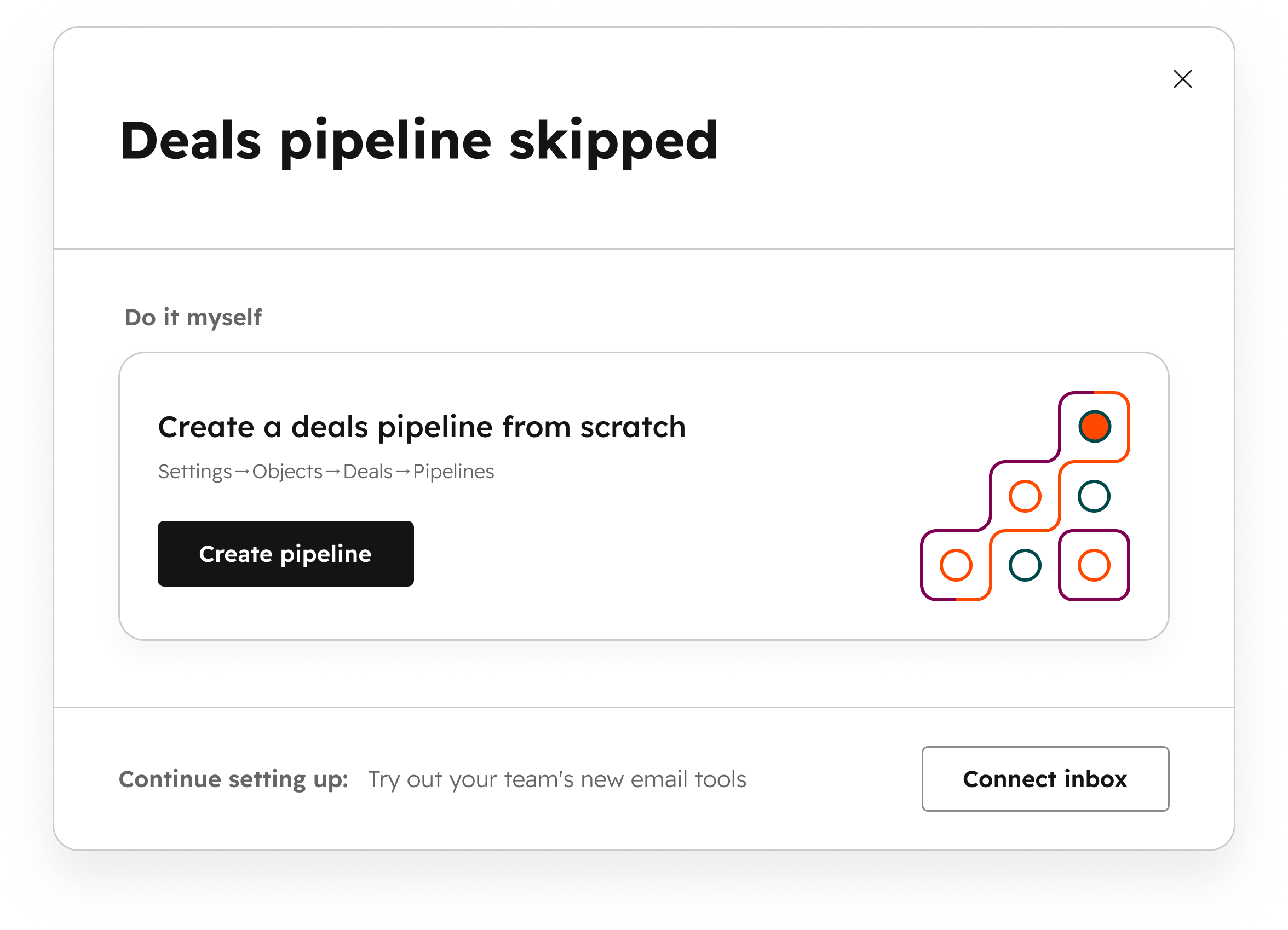
The success state confirms what was created, links to it in HubSpot and offers the next onboarding action. The skipped state gives customers a route to create the output themselves, as well as a way to continue setup.
I documented the single-output and multi-output layouts, their review states and their follow-up states as a reusable system. Other teams could apply the pattern to their own setup tasks.
Faster activation, with more to build on
Time to activation fell from 14 to 9 days. Onboarding completion increased by 5%, and 68% of users accepted the AI configurations.
The next phase covers editing and regeneration, more entry points across HubSpot, and versions of the pattern that work outside a modal.
Key decisions
Use business context to prepare three useful configurations before asking customers to build them manually.
Give a single output and a set of outputs different review layouts.
Make both Create and Skip lead to a clear next step.
Let’s talk about the work.
I’d be happy to talk through the project and the decisions behind it.
Reach out